
ProEventsWP vs The Events Calendar: Which Should You Choose?
The Events Calendar gives WordPress sites a free calendar and a family of tools for managing events, attendees and tickets. ProEventsWP is an alternative built around the WordPress block editor. Its free plugin includes six calendar views, recurring schedules, visitor filters and individual RSVPs.
If your team mainly publishes its own programme, the decision is likely to come down to editing and what is included for free. If you sell admission or need to check guests in at the door, The Events Calendar’s ticketing tools become a bigger part of the decision.
Written by ProEventsWP · Reviewed 11 November 2026
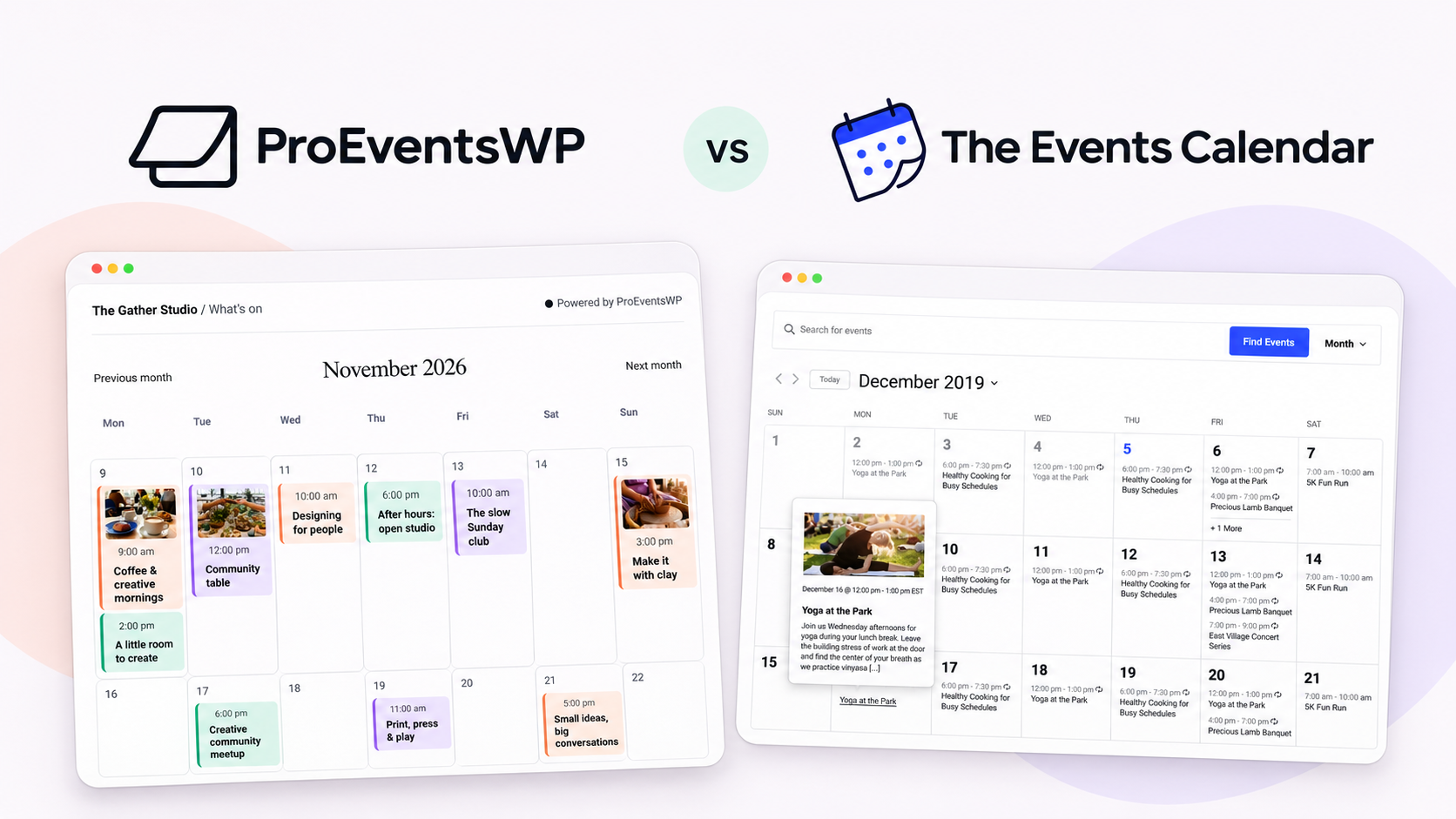
What each plugin includes
| Feature | ProEventsWP | The Events Calendar |
|---|---|---|
| Calendar views | 6 in Free | Month, List and Day in Free |
| Recurring events | Included in Free | Events Calendar Pro |
| Week view | Included in Free | Events Calendar Pro |
| Photo view | Included in Free | Events Calendar Pro |
| Map calendar | Included in Free | Events Calendar Pro |
| Keyword and date search | Included in Free | Included in Free |
| Category and tag filters | Included in Free | Paid Filter Bar |
| Venue and organizer filters | Included in Free | Paid Filter Bar |
| Advanced filters | ProEventsWP Pro | Paid Filter Bar |
| WordPress blocks | Calendar and event blocks | Event blocks |
| Free RSVPs | Included in Free | Separate free Event Tickets plugin |
| Paid ticket sales | Unavailable | Event Tickets, payment fees apply |
| Custom event fields | ProEventsWP Pro | Events Calendar Pro |
The free Events Calendar plugin handles publishing and display. Its separate free Event Tickets plugin adds RSVPs and ticket sales. The paid calendar and ticketing tools are separate components in the Nexcess bundle.
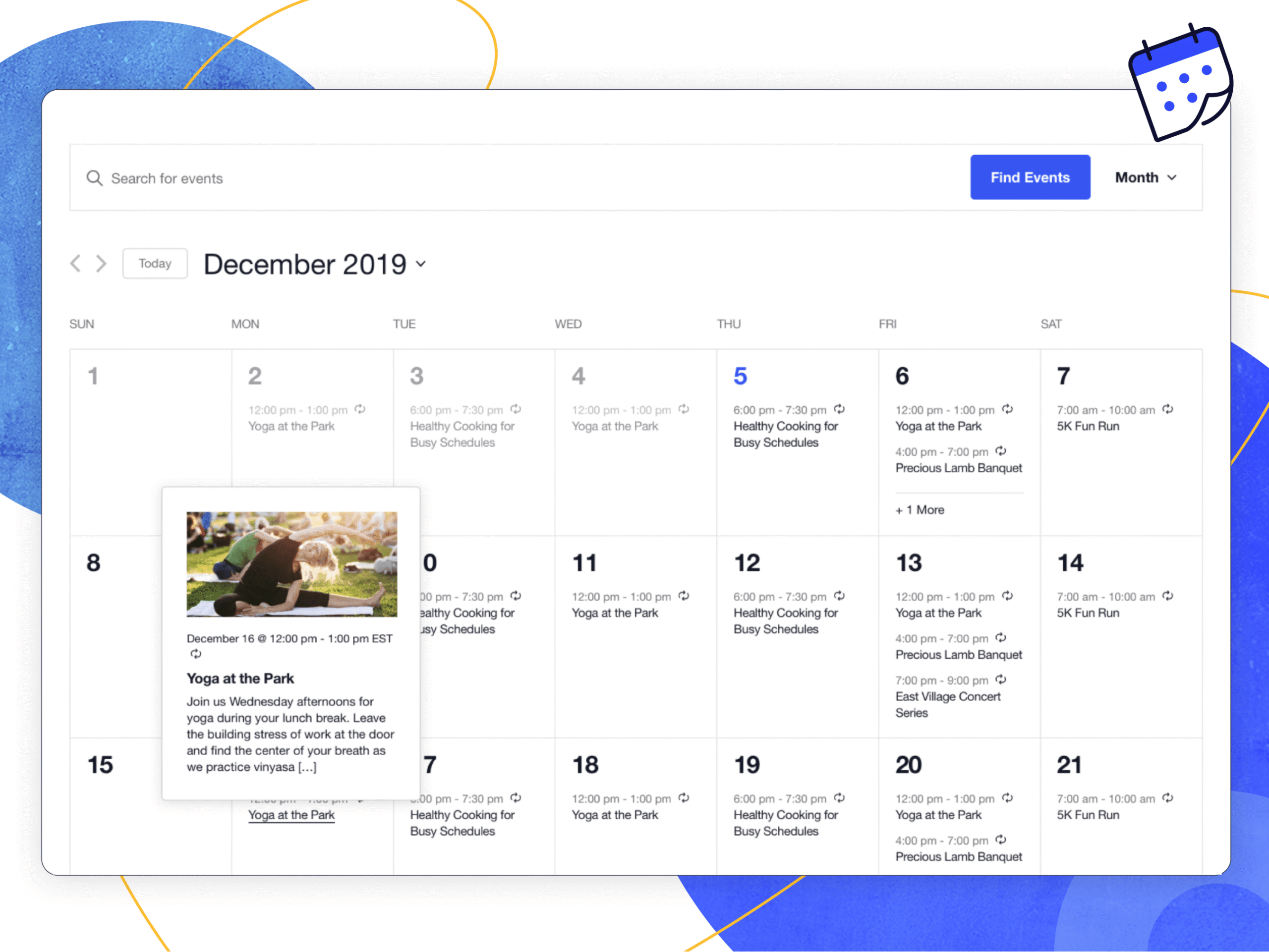
ProEventsWP Free includes Month, Week, Day, List, Photo and Map. Map shows multiple events together. The Events Calendar’s free plugin can show a map for an individual venue.
Editing the calendar and helping visitors find events
Making the calendar fit a page
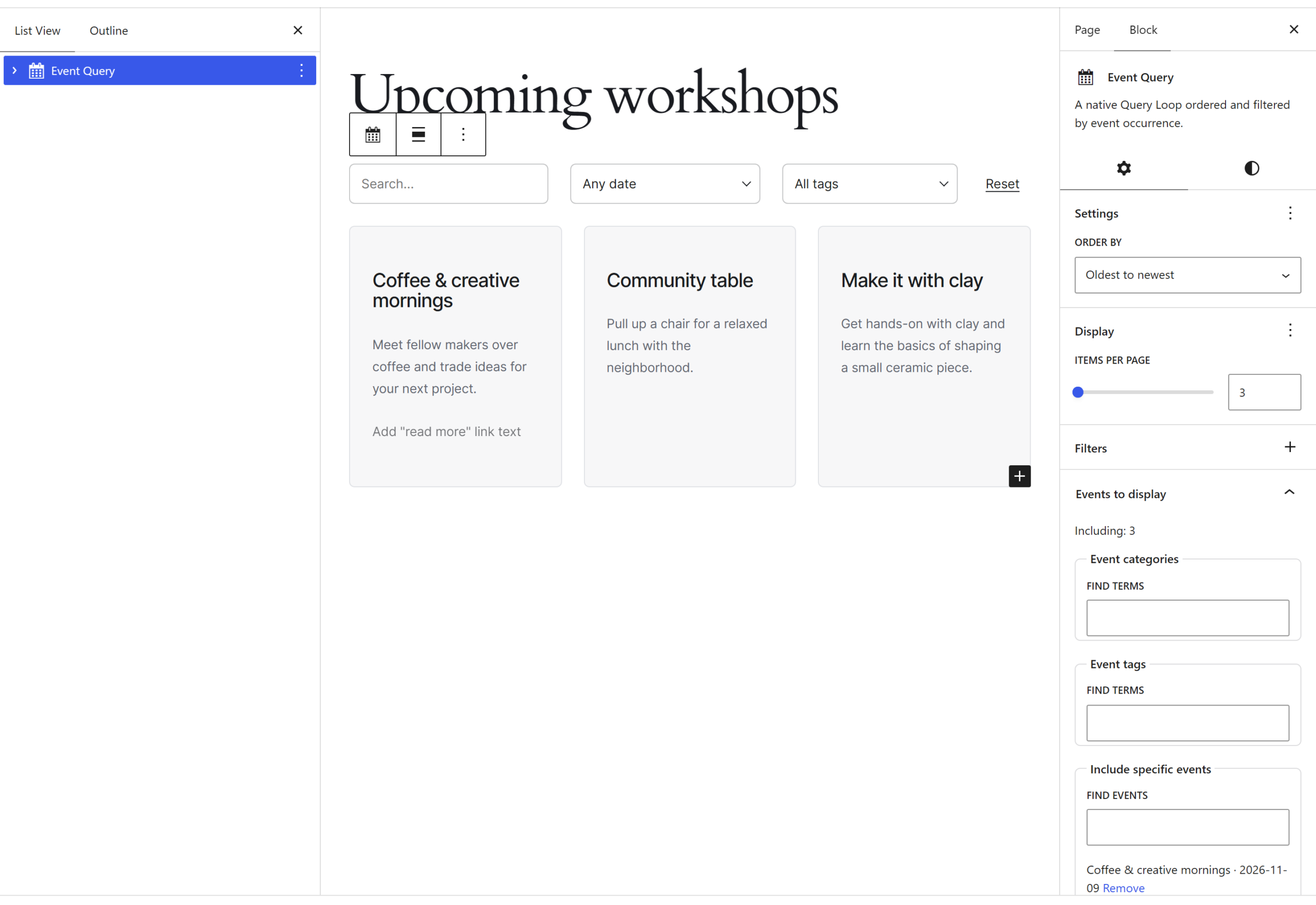
An editor may want a short list of upcoming events on the homepage and a more visual programme on a landing page. ProEventsWP uses the WordPress block editor for both. You can edit which details appear in each List or Photo card with the same controls you use for the rest of the page.
The Events Calendar supports the WordPress block editor for individual event details. Its calendar views have their own templates. The Site Editor guide explains which parts of the layout you can change there. If the built-in calendar design fits your site, its standard views may be all you need.
For example, removing the featured image from a list of events is a block edit in ProEventsWP. The Events Calendar’s guide to customizing list templates shows the corresponding developer approach for its views. This difference matters when the person maintaining the site also needs to change how the schedule looks.
Helping visitors narrow down a busy programme
The Events Calendar Free includes keyword and date search and lets visitors open category or tag archives. If a venue wants visitors to pick a category, location or organizer from controls beside the calendar, its paid Filter Bar adds those controls. ProEventsWP includes those basic calendar filters in Free.
See the calendars and editor

A weekly class with a date off
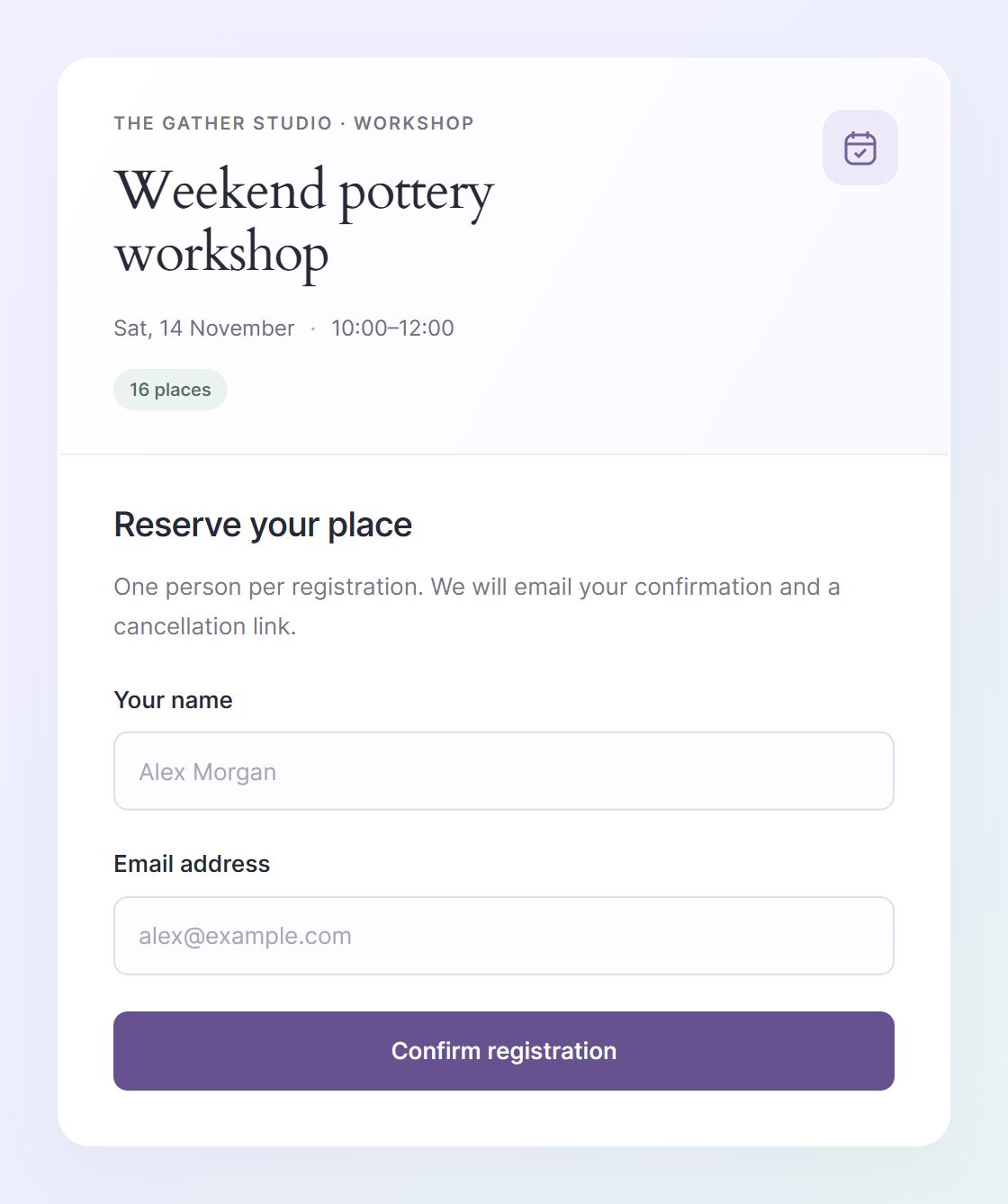
Suppose a venue runs a weekly class and closes for one holiday. In ProEventsWP Free, the organizer can set up the series, leave out that date and limit RSVPs for each session. Each person reserves one place on their chosen date. In The Events Calendar Free, the organizer creates individual dates. Events Calendar Pro adds the ability to generate a series and leave out selected dates.

Selling tickets and managing attendees
The free Event Tickets plugin is useful for a one-off paid event. It can handle checkout on the site and also supports free RSVPs. For organizers who need to collect custom attendee details or scan tickets at the door, Event Tickets Plus adds tools for registration and QR check-in. The broader Nexcess Plugin Stack also covers assigned seating and community submissions.
ProEventsWP Free can take individual RSVPs and limit attendance. That can be enough for a free activity where the organizer needs a headcount. To sell tickets or run check-in, you need a separate tool.
What does it cost?
| Price | ProEventsWP | The Events Calendar |
|---|---|---|
| Free | $0 Unlimited sites | $0 Unlimited sites |
| Paid plans | $59/year Personal · 1 site | $350/year Nexcess Plugin Stack · 1 site |
| Other plans | $129/year Studio · 5 sites $249/year Agency · Unlimited sites | $599/year Nexcess Plugin Stack · 10 sites |
A one-site calendar for weekly free classes with individual RSVPs can run on ProEventsWP Free. A one-off paid event can use the free Event Tickets plugin with a supported payment processor. Its Tickets Commerce documentation lists a 2% commission for Stripe and Square sales on top of processor fees. Event Tickets Plus waives that commission.
For new customers buying premium TEC features, the Nexcess Plugin Stack starts at $350 per year for one site. It includes Events Calendar Pro for repeats and additional views, Event Tickets Plus, and tools such as Filter Bar, along with Give, LearnDash and Kadence. Liquid Web’s older event-plan page may still show separate prices. The current Nexcess purchase page says new licenses are sold as the bundle.
ProEventsWP Pro starts at $59 per year for one site and adds tools such as advanced filters and custom fields. The prices describe different purchases. Work out which capabilities the site needs before comparing license costs.
Frequently asked questions
Will my theme or page builder work after switching?
ProEventsWP requires WordPress 6.6 or later and PHP 8.1 or later. Build a representative page in the block editor on staging and check the theme’s styling and any page-builder embeds. Replace any embeds or templates that depend on The Events Calendar before switching.
Can I migrate my existing TEC calendar?
ProEventsWP can import CSV and ICS events as drafts. Plan to verify recurring dates, existing links, tickets and attendee data separately on staging before switching.
Which plugin fits your site?
ProEventsWP is a good fit for a team publishing its own programme and looking for free recurrence, simple RSVPs and more control over how events appear in WordPress. The Events Calendar is a stronger choice when ticket payments, registration details or check-in are part of running the event. Start with the free calendar and Event Tickets for basic ticketing, and consider the bundle if you need advanced operations or paid recurrence.